Launching a Native Ads Ecosystem
Empowering marketers to build banner campaigns from scratch, without designers or code.

Topsort is a retail media infrastructure that empowers marketplaces and retailers to run ad campaigns within their own platforms.
Until recently, users could only create banner ad campaigns by uploading static images or uploading code files, limiting flexibility and slowing down campaign launches.
To address this, we designed a JSON Banner Template Ecosystem consisting of:
Template Creator – build form-style banner templates
Template Manager – organize and reuse templates
Template-based Campaigns – fill out a form and launch a native banner
This system makes banner creation self-serve for marketers and automatically creates a JSON schema that can be rendered directly on their site.
Challenge
Setting up and launching a banner campaign required a designer or developer to create and update creative assets. Every new banner required a custom asset, and marketers had little control over creative updates, creating friction and delays.
We needed to enable non-technical users to create flexible, reusable templates to reduce this dependency and speed up campaign creation, all while keeping the output compatible with Topsort’s rendering system.
Challenges:
Making JSON-based templates accessible to non-technical users.
Balancing flexibility with simplicity.
Ensuring templates could adapt to multiple marketplace layouts.
My Role
As part of the Product Experience team, I was the designer in charge of leading the end-to-end process:
Research and benchmarking
Flow definition and prototyping
Usability testing and developer handoff
Through each stage, I collaborated closely with Product Managers and frontend engineers to ensure the project was going on the right track.
Process
1. Research & Benchmarking
I started by exploring how competitors and similar tools handle creative template generation, including Kevel, Kayzen, Google Ads, Meta Audience Network, and low-code builders.
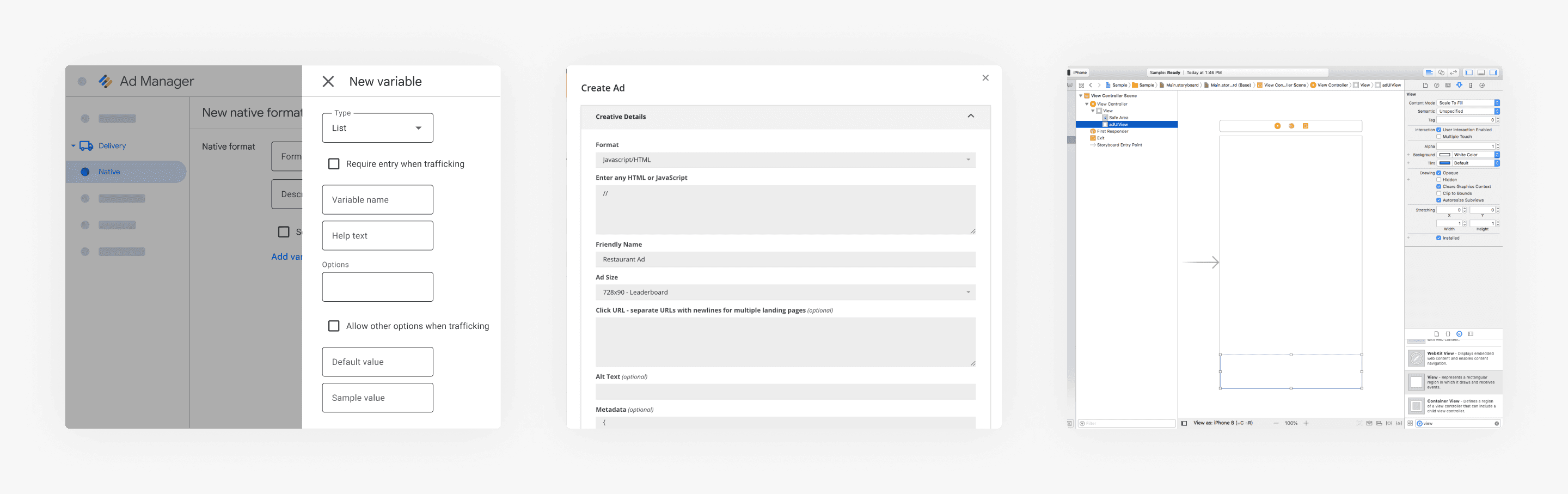
Key insights:
Form-based editors are the simplest entry point for non-technical users.
Clear field types (text, image, price, etc.) reduce confusion.
A clear distinction between “add field” and “edit properties” reduces cognitive load.
Real-time previews help users trust what they’re creating, but can be phased in.
This inspired a form-first experience: a tool where users fill in fields that automatically map to JSON properties behind the scenes; which ended up shaping our v1 and gave directions for v2.
2. UX Definitions
The Product Manager’s request was technical:
“Let users create JSON banner templates to build ad campaigns.”
To make templates truly useful, I translated this into three interconnected flows:
→ Template Creator
Where users build, customize and save reusable banner templates.
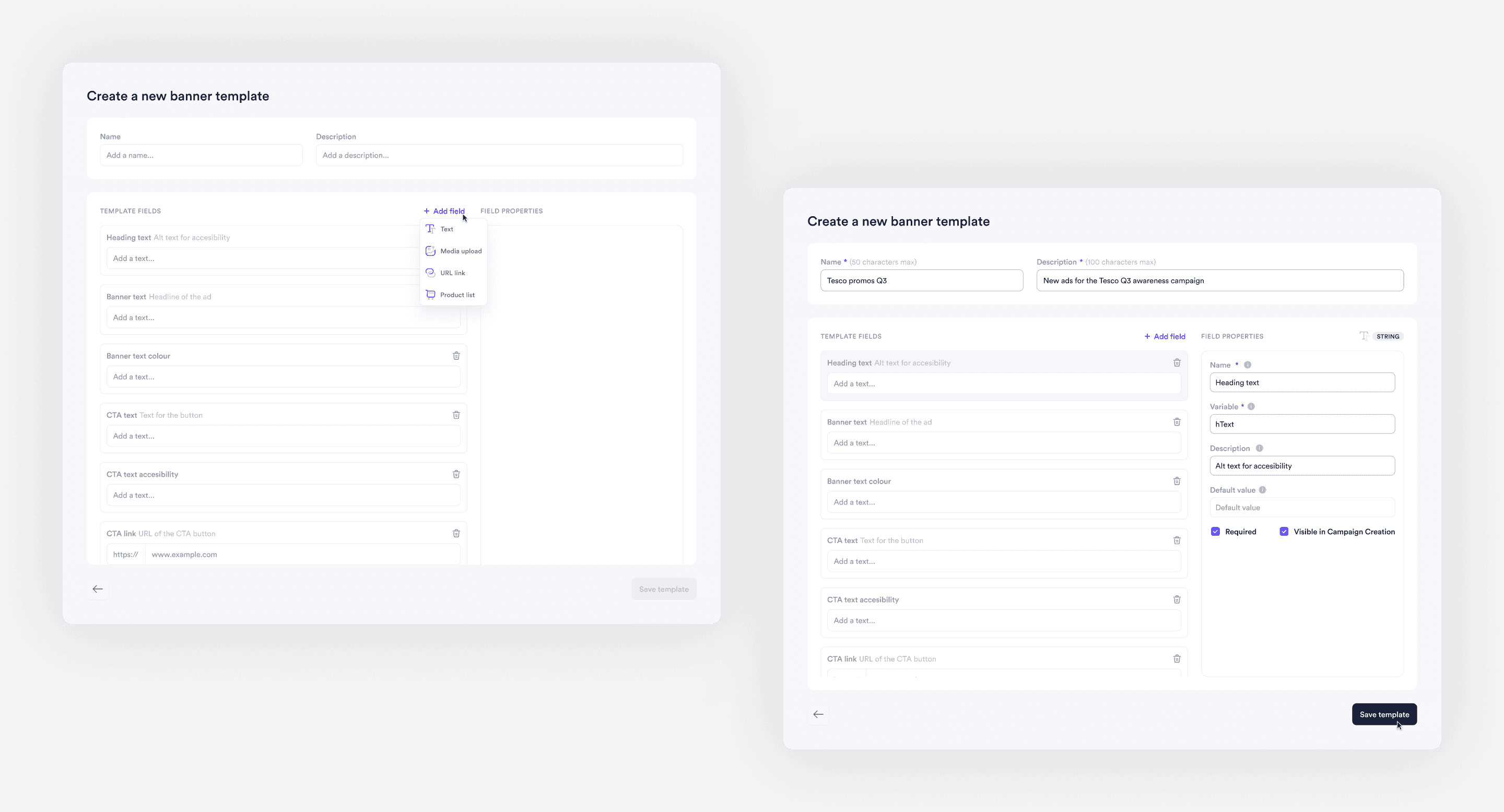
I designed v1 in Figma as a clean, straightforward UI:
Top panel for template name and description
Left panel for adding, listing and deleting fields
Right panel for editing field properties
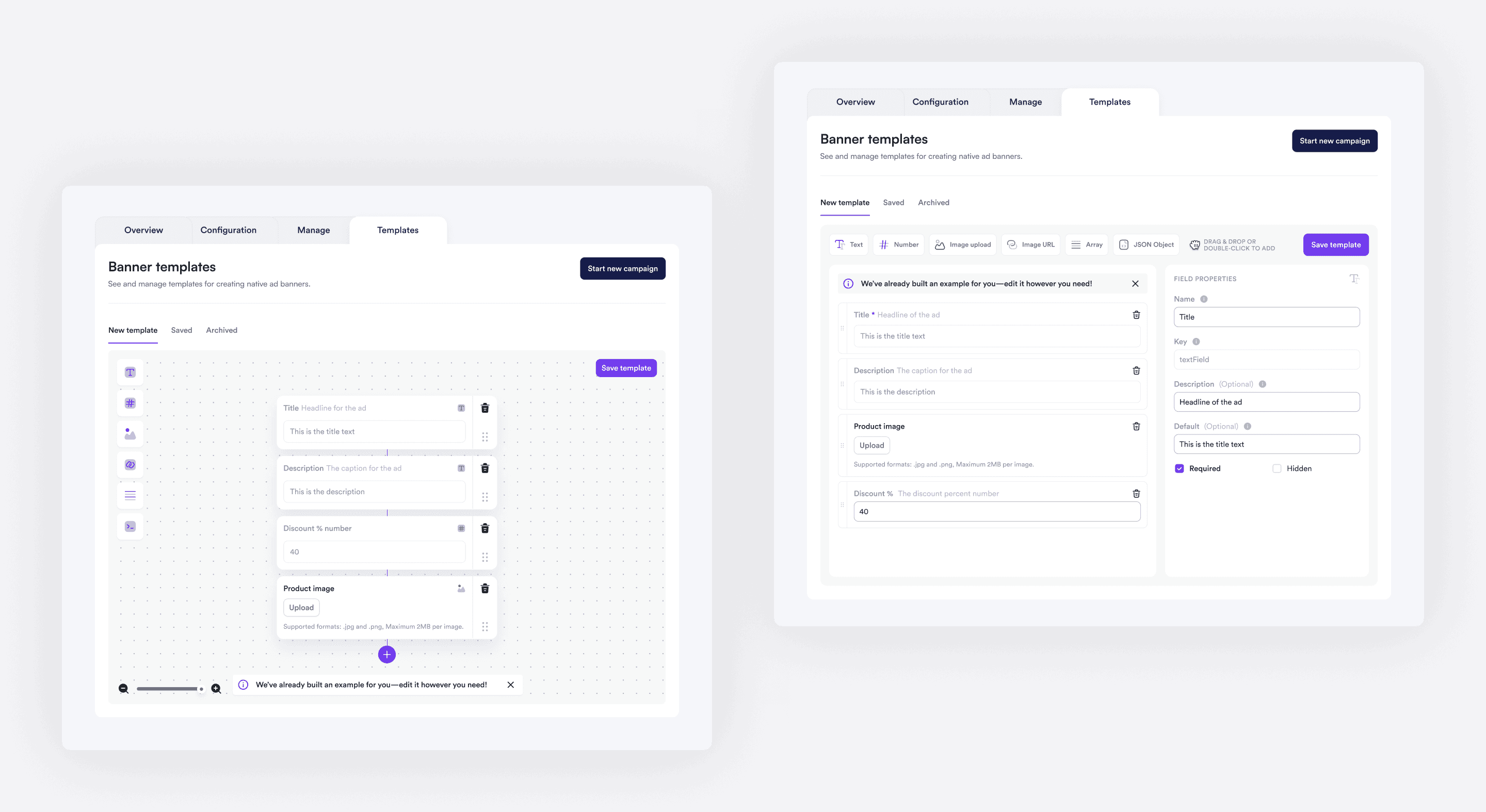
Once validated, I explored v2 concepts that introduced:
Drag-and-drop adding and reordering
Color-coded field types for quick visual grouping
More intuitive variable naming guidance
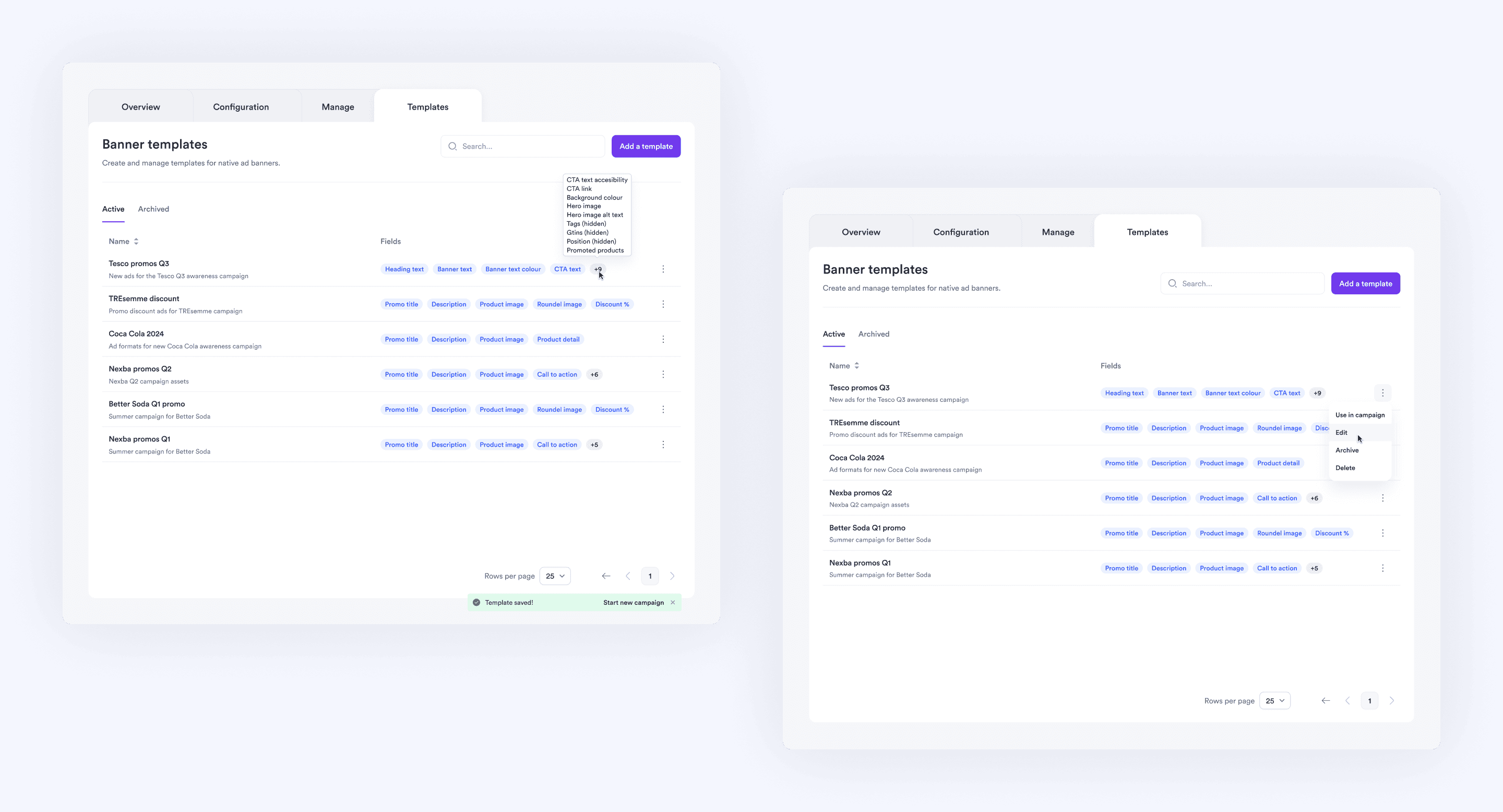
→ Template Manager
A centralized place to store, organize, and reuse templates.
Adding a new tab made the feature feel like a true system, not just a one-off tool.
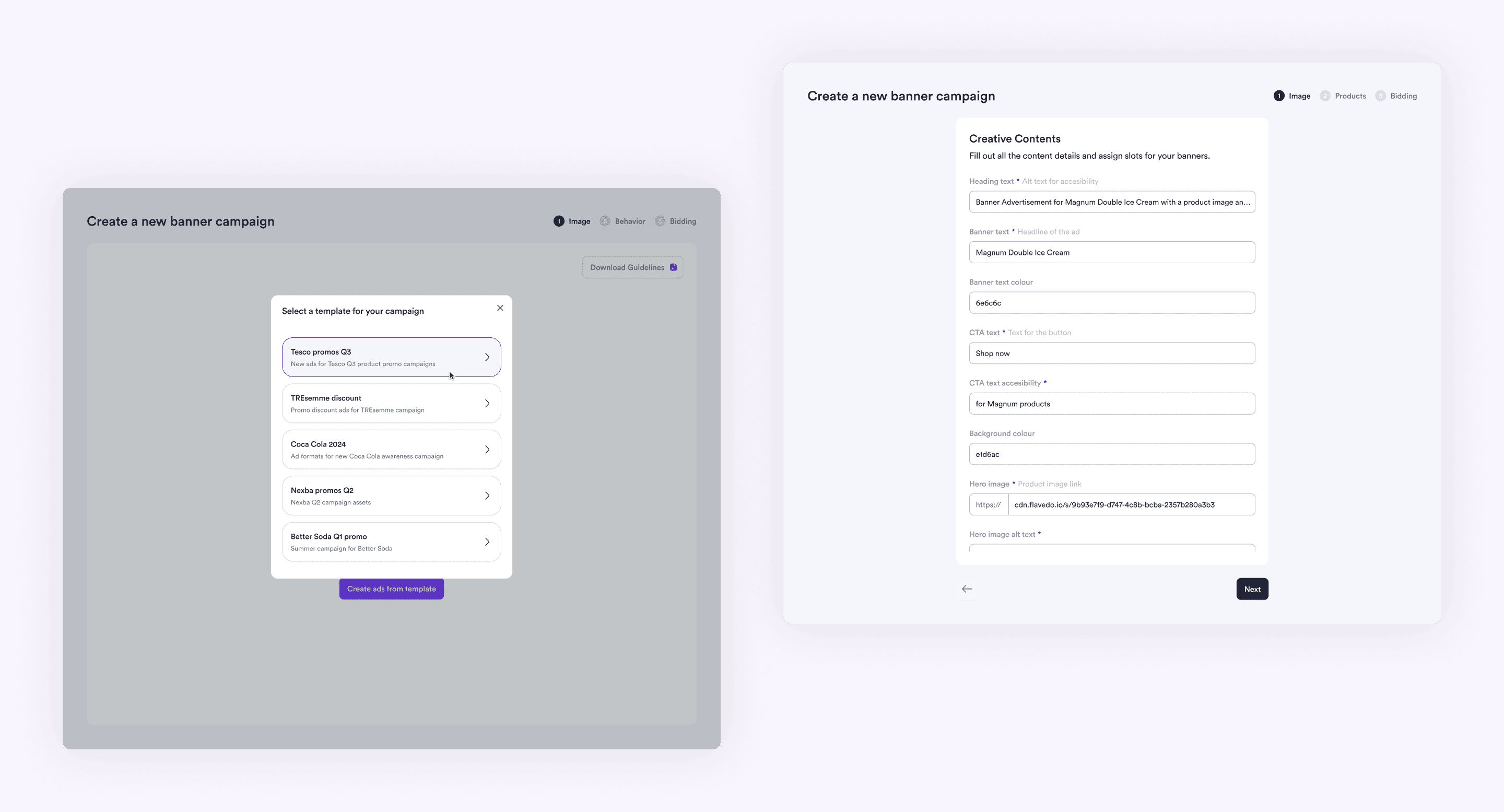
→ Template Campaign Creation
Turning templates into live ads.
I also phased the campaign creation flow into a simpler, purely form-based v1:
And a v2 vision with content and code preview:
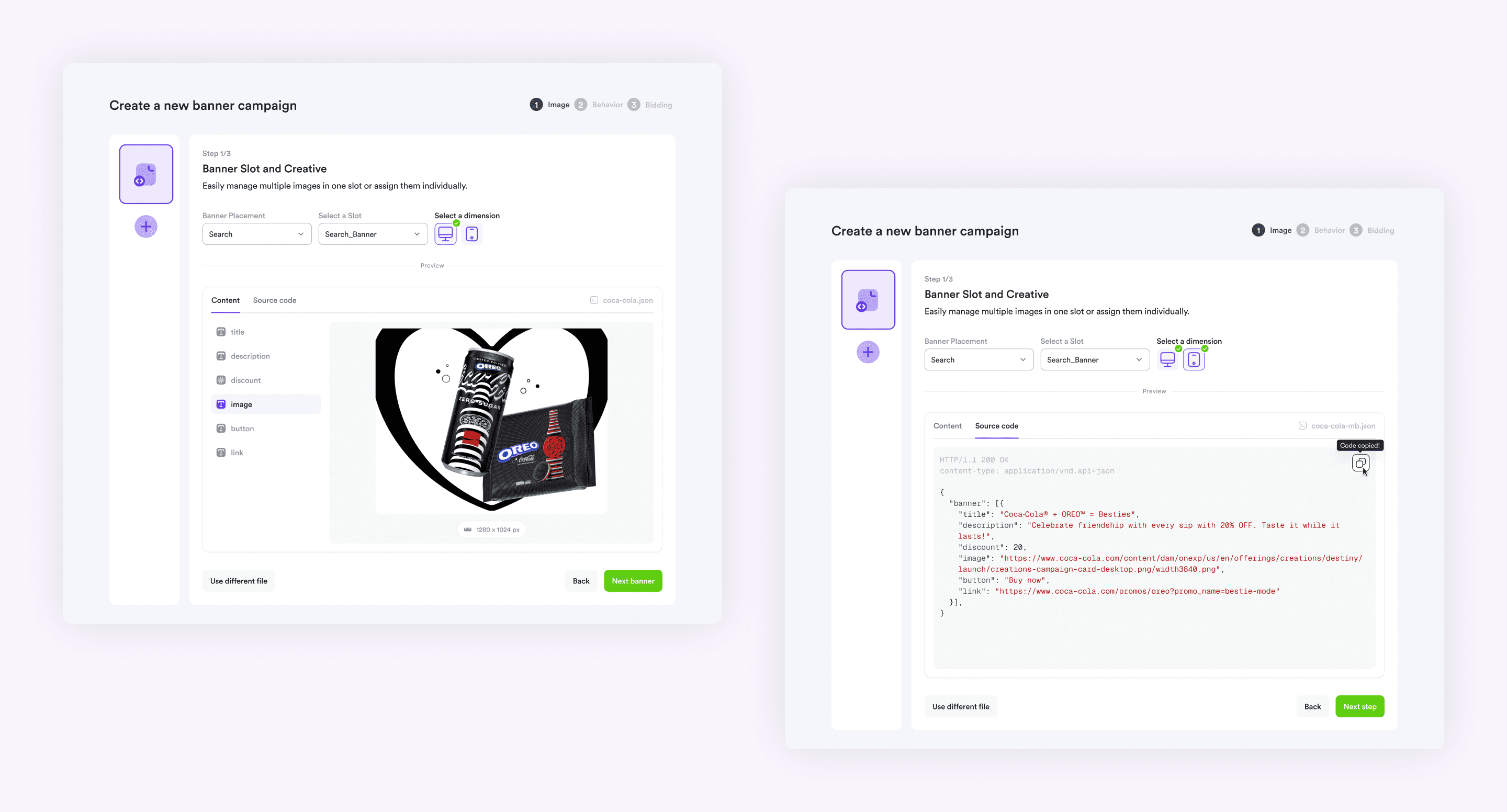
Summing up, on the first release (v1) we aimed for a linear, simpler experience that allow marketers to create functional templates and ad campaigns without needing to understand JSON, or waiting for more complex preview tech (v2).
3. Testing & Collaboration
I collaborated closely with engineers during implementation, testing the feature through Vercel and Storybook.
We focused on:
Clarity of field labels and data types.
Usability for non-technical users.
Visual consistency based on Design System guidelines.
Based on feedback from internal teams and pilot customers, we refined the UI to keep the tool simple, useful, engaging and error-proof. Small tweaks like clearer field icons and tooltips made a big difference.
Impact
Reduced campaign setup time, allowing marketers to build campaigns in minutes.
Enabled self-serve ads, no design or dev handoff needed.
Improved feature parity with leading retail media platforms.
Reduced dependency, freeing resources for strategic initiatives.
Final thoughts
This project taught me how to turn a technical system into a human experience. Designing this feature wasn’t just about banners — it was about empowering autonomy.
By abstracting technical complexity into a friendly, guided experience, we helped marketers move faster and gave marketplaces more control over their ad experiences.
It also reinforced the value of designing in phases: shipping a simple v1 quickly, while envisioning v2 improvements based on real-world feedback.
